Interactive Rendering of the Moana Island Scene (Part 1)
Recently released hardware ray tracing extensions have made it feasible to render massive scenes containing billions of triangles on consumer grade GPUs. These extensions (AMD DGF and NVIDIA RTX Mega Geometry) operate on clusters of triangles, which are essentially small subsets of larger triangle meshes. If the triangles in these clusters have good spatial locality, it is possible to reduce the memory footprint of the ray tracing acceleration structures, as well as speed up build times. The video above showcases interactive rendering of the Moana island scene on an RTX 4070 Laptop GPU, which only has 8 GB of VRAM. This scene is notorious for its massive size, containing over 30 million instances and billions of instanced triangles. This series of blog posts will primarily focus on the techniques used to enable rendering this scene with only 8 GB of VRAM, using Vulkan.
Geometry Compression w/ DGF
Before any compression, a triangle mesh is first separated into multiple triangle clusters, with a maximum of 128 triangles per cluster. There are several ways to create these clusters, such as by partioning based on the surface area heuristic (SAH) or graph partitioning on shared edges (what Nanite does). For those unaware, SAH partioning greedily groups triangles such that the surface area of the group’s bounding box is minimized. Graph partioning groups graph nodes such that the sum of the weights of external edges (i.e pointing to nodes outside the group) are minimized. In this case, a node represents a triangle, and an edge represents the number of edges a triangle shares with another triangle. I chose to use graph partioning for clusterization because it minimizes the number of duplicated vertices across all clusters, which reduces the total geometry memory footprint as much as possible. While this may produce clusters that are slower to ray trace at runtime, conserving memory is necessary due to our limited budget.
All unique geometry is stored according to the AMD Dense Geometry Format (DGF), except clusters are not limited to 128 bytes. This format stores all vertex positions and attributes as variable bit width
offsets from an anchor value, saving memory. Also, instead of storing three indices per triangle, the format uses generalized triangle strips, which use a 2-bit control field per triangle to indicate how each
triangle k is generated.
RESTART(0) : Consume 3 indices and restart strip
EDGE1(1) : Consume 1 index and re-use edge 1 of triangle i - 1
EDGE2(2): Consume 1 index and re-use edge 2 of triangle i - 1
BACKTRACK(3) : Consume 1 index and re-use the remaining edge of triangle i - 2

// The first triangle in a triangle strip is always a RESTART, and BACKTRACK is only allowed if the previous triangle was EDGE1 or EDGE2.
Listing 1. Generalized triangle strip control types
While generalized triangle strips reduce the memory needed to encode the topology of a triangle mesh, it is no longer trivial to calculate the vertex indices used by a particular triangle.
Decoding the necessary data from this format can be slow, leading to noticeable performance degradation. In the DGF paper, the authors report a
reduction in performance by up to a factor of 2.3x compared to uncompressed base geometry.
This slowness is due to an O(N) decoding algorithm that calculates the vertex indices of a triangle in a triangle strip, listed below.
Unfortunately, to decode a triangle k, this algorithm requires scanning all k preceding triangles in the strip, which is slow and leads to poor execution coherence on GPUs.
In the worst case, a single thread in a warp could be scanning the end of a triangle strip, stalling all other completed threads.
// r represents the number of triangle restarts that have occurred
// index is the triangle index
r ← 1
for k = 1 -> index do
    ctrl <- Control[k]
    prev <- indexAddress
    if ctrl = RESTART then
        r <- r + 1
        indexAddress <- [2r + k - 2, 2r + k - 1, 2r + k]
    else if ctrl = EDGE1 then
        indexAddress <- [prev[2], prev[1], 2r + k]
        bt <- prev[0]
    else if ctrl = EDGE2 then
        indexAddress <- [prev[0], prev[2], 2r + k]
        bt <- prev[1]
    else if ctrl = BACKTRACK then
        if prevCtrl = EDGE1 then
            indexAddress <- [bt, prev[0], 2r + k]
        else
            indexAddress <- [prev[1], bt, 2r + k]
        end if
    end if
    prevCtrl <- ctrl
end for
Listing 2. GTS O(N) decoding algorithm
To improve decoding performance, I’ve implemented an O(1) algorithm that uses bit intrinsics instead of linearly scanning each control bit.
The key insight is that it’s possible to find the values of prev[0], prev[1], and prev[2] backwards from a selected triangle k.
First, instead of using a 2-bit control field per triangle, we’ll now use 3 1-bit control fields: one each for RESTART, BACKTRACK, and
EDGE1. Decoding the control type for each triangle is self-explanatory except for two cases. If none of the bit fields are set, the triangle has control type EDGE2.
If the BACKTRACK control bit is set, the corresponding bit in the EDGE1 field denotes what edge is used from triangle k - 2.
So if the ctrl for k - 1 was EDGE2, then the EDGE1 bit field is set, and if it was EDGE2, the EDGE1 bit field is unset.
Converting the data to this format enables the use of popcount/countbits intrinsics to calculate the number of restarts that have occurred before k, meaning we no longer
have to manually check the ctrl bit of all triangles preceding k.
It also allows for the use of bit scan intrinsics, whose usage will be described shortly.
Notice that the last entry of indexAddress for all four control types is always 2r + k. Thus, any instance of prev[2]
is simply 2r + k - 1. We now need to determine what the values of prev[0] and prev[1] are.
Let’s temporarily assume that the ctrl for triangle k is EDGE1, and that the triangle strip contains no backtracking.
We can manually observe what the value of prev[1] is in the three remaining cases.
if prevCtrl = RESTART, 2r + k - 2
else if prevCtrl = EDGE1, prev[1] of triangle k - 1
else if prevCtrl = EDGE2, prev[2] of triangle k - 1
Listing 3. Potential values of prev[1]
We know what the values of prev[2] and 2r + k - 2 are, meaning that if the previous ctrl bit is either a RESTART or EDGE2, we’re able to decode the value of prev[1].
If the previous ctrl is unfortunately an EDGE1, then we have to repeatedly check the preceding ctrl bits until we find a RESTART or EDGE2.
The following pseudocode illustrates the decoding algorithm.
for k = index - 1 -> 0 do
    ctrl <- Control[k]
    if ctrl = RESTART, return 2r + k - 1
    else if ctrl = EDGE1, continue
    else if ctrl = EDGE2, return 2r + k - 1
Listing 4. Decoding pseudocode when ctrl is EDGE1
The above process can be repeated for EDGE2. Now, the loop continues when ctrl = EDGE2, and ends only when RESTART or EDGE1 are found.
for k = index - 1 -> 0 do
    ctrl <- Control[k]
    if ctrl = RESTART, return 2r + k - 2
    else if ctrl = EDGE2, continue
    else if ctrl = EDGE1, return 2r + k - 1
Listing 5. Decoding pseudocode when ctrl is EDGE2
What happens when we add backtracking? Recall that backtracking reuses the remaining edge of triangle k - 2.
Let’s revisit the ctrl = EDGE1 case.
// ...
else if ctrl = BACKTRACK then
    if prevCtrl = EDGE1 then
        return prev[0]
    else return bt
Listing 6. Backtracking
If prevCtrl is EDGE1, we need to find the value of prev[0]. Since indexAddress[0] = prev[2] when ctrl is EDGE1,
this value can be determined. If prevCtrl is EDGE2, then we need to find the value of bt, which unfortunately is also prev[1]. This means
to calculate the value of prev[1], we need to find the most recent triangle with control types
RESTART, EDGE2, or EDGE1 with a succeeding BACKTRACK.
Following a similar process when ctrl EDGE2,
we now need to find the most recent triangle that is either
a RESTART, EDGE1, or EDGE2 immediately followed by BACKTRACK. The pseudocode for these two cases are listed below.
for k = index - 1 -> 0 do
    ctrl <- Control[k]
    wasBt <- bt
    bt <- false
    if ctrl = RESTART, return 2r + k - 1
    else if ctrl = EDGE1 or wasBt, continue
    else if ctrl = EDGE2, return 2r + k - 1
    else if ctrl = BACKTRACK
        bt <- true
        prevCtrl <- Control[k - 1]
        if prevCtrl = EDGE1, return 2r + k - 2
        else if prevCtrl = EDGE2, continue
Listing 7. Decoding pseudocode for EDGE1
for k = index - 1 -> 0 do
    ctrl <- Control[k]
    wasBt <- bt
    bt <- false
    if ctrl = RESTART, return 2r + k - 2
    else if ctrl = EDGE2 or wasBt, continue
    else if ctrl = EDGE1, return 2r + k - 1
    else if ctrl = BACKTRACK
        bt <- true
        prevCtrl <- Control[k - 1]
        if prevCtrl = EDGE2, return 2r + k - 2
        else if prevCtrl = EDGE1, continue
Listing 8. Decoding pseudocode for EDGE2
The above loops can be represented as bit scan operations. We use firstbithigh to find the most significant bit of the EDGE1 and RESTART bitmasks that is less than
the current triangle’s bit. If EDGE2 is needed, we bitwise invert the EDGE1 mask, and clear any bits where RESTART or BACKTRACK are set.
Below is HLSL code that decodes the values of indexAddress for a given triangleIndex.
int3 indexAddress = int3(0, 1, 2);

uint dwordIndex = triangleIndex >> 5;
uint bitIndex = triangleIndex & 31u;

uint bit = (1u << bitIndex);
uint mask = (1u << bitIndex) - 1u;

uint3 stripBitmasks; // contains the aforementioned RESTART, EDGE1, and BACKTRACK bitmasks for a group of 32 triangles
uint isRestart = BitFieldExtractU32(stripBitmasks[0], 1, bitIndex);
uint isEdge1 = BitFieldExtractU32(stripBitmasks[1], 1, bitIndex);
uint isBacktrack = BitFieldExtractU32(stripBitmasks[2], 1, bitIndex);

uint restartBitmask = stripBitmasks[0];
uint edgeBitmask = stripBitmasks[1];
uint backtrackBitmask = stripBitmasks[2] & mask;

uint isEdge1Bitmask = 0u - isEdge1; // wraps to 0xffffffff when isEdge1 is 1

uint prevRestartsBeforeDwords = dwordIndex ? numPrevRestartsBeforeDwords[dwordIndex - 1] : 0u;
uint r = countbits(restartBitmask & mask) + prevRestartsBeforeDwords;

if (isRestart)
{
    r++;
    indexAddress = uint3(2 * r + triangleIndex - 2, 2 * r + triangleIndex - 1, 2 * r + triangleIndex);
}
else
{
    indexAddress.z = 2 * r + triangleIndex;
    mask >>= isBacktrack;
    indexAddress.y = 2 * r + triangleIndex - 1 - isBacktrack;

    int restartHighBit = firstbithigh(restartBitmask & mask);
    int otherEdgeHighBit = firstbithigh(~restartBitmask & ~backtrackBitmask & ((isEdge1Bitmask ^ ((backtrackBitmask >> 1) ^ edgeBitmask)) & mask));

    int prevRestartTriangle = restartHighBit == -1 ? (dwordIndex ? prevHighRestartBeforeDwords[dwordIndex - 1] : 0u) : restartHighBit + dwordIndex * 32;

    int3 prevHighEdge = isEdge1 ? prevHighEdge2BeforeDwords : prevHighEdge1BeforeDwords;
    int prevOtherEdgeTriangle = otherEdgeHighBit == -1 ? (dwordIndex ? prevHighEdge[dwordIndex - 1] : -1) : otherEdgeHighBit + dwordIndex * 32;

    int prevTriangle = max(prevRestartTriangle, prevOtherEdgeTriangle);
    uint isEdge1Restart = isEdge1 && (prevRestartTriangle == prevTriangle);

    uint increment = (prevOtherEdgeTriangle == prevTriangle || isEdge1Restart);
    indexAddress.x = 2 * r + prevTriangle - 2 + increment;

    indexAddress = isEdge1 ? indexAddress.yxz : indexAddress;
}
Listing 9. O(1) decoding code
In this implementation, each cluster header now requires 12 extra bytes to cache the most recent occurrence of each triangle type for each group of 32 triangles, as well as the number of restarts. If the requisite triangle types are not found in the triangle’s group of 32, this cached value is used. While this caching is not strictly necessary, it simplifies the runtime logic, and the extra memory cost is negligible.
AMD recently published an alternative O(1) decoding algorithm, which can be found here.
Results
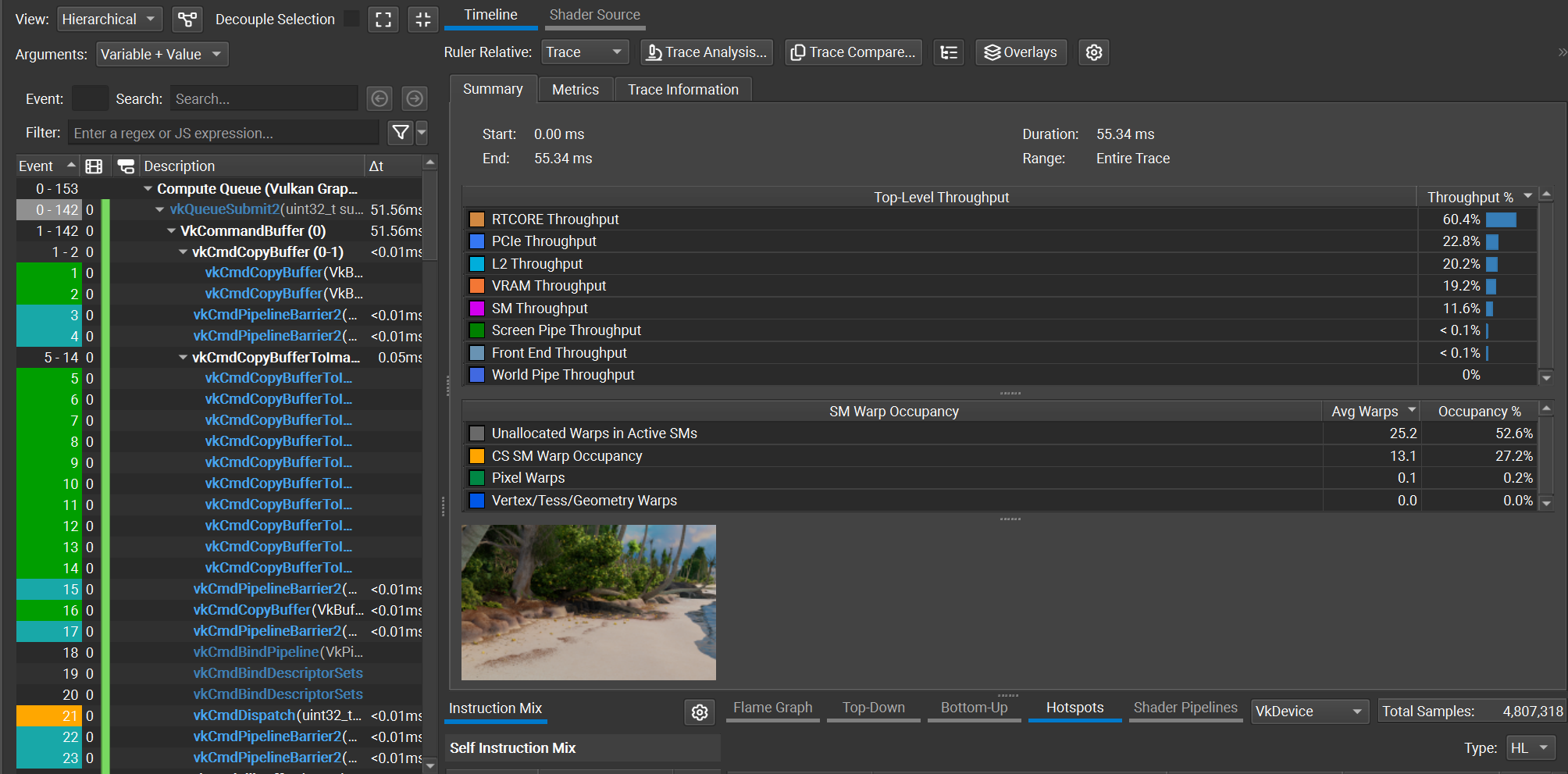 Figure 1. Nsight capture for shotCam, using O(1) decoding
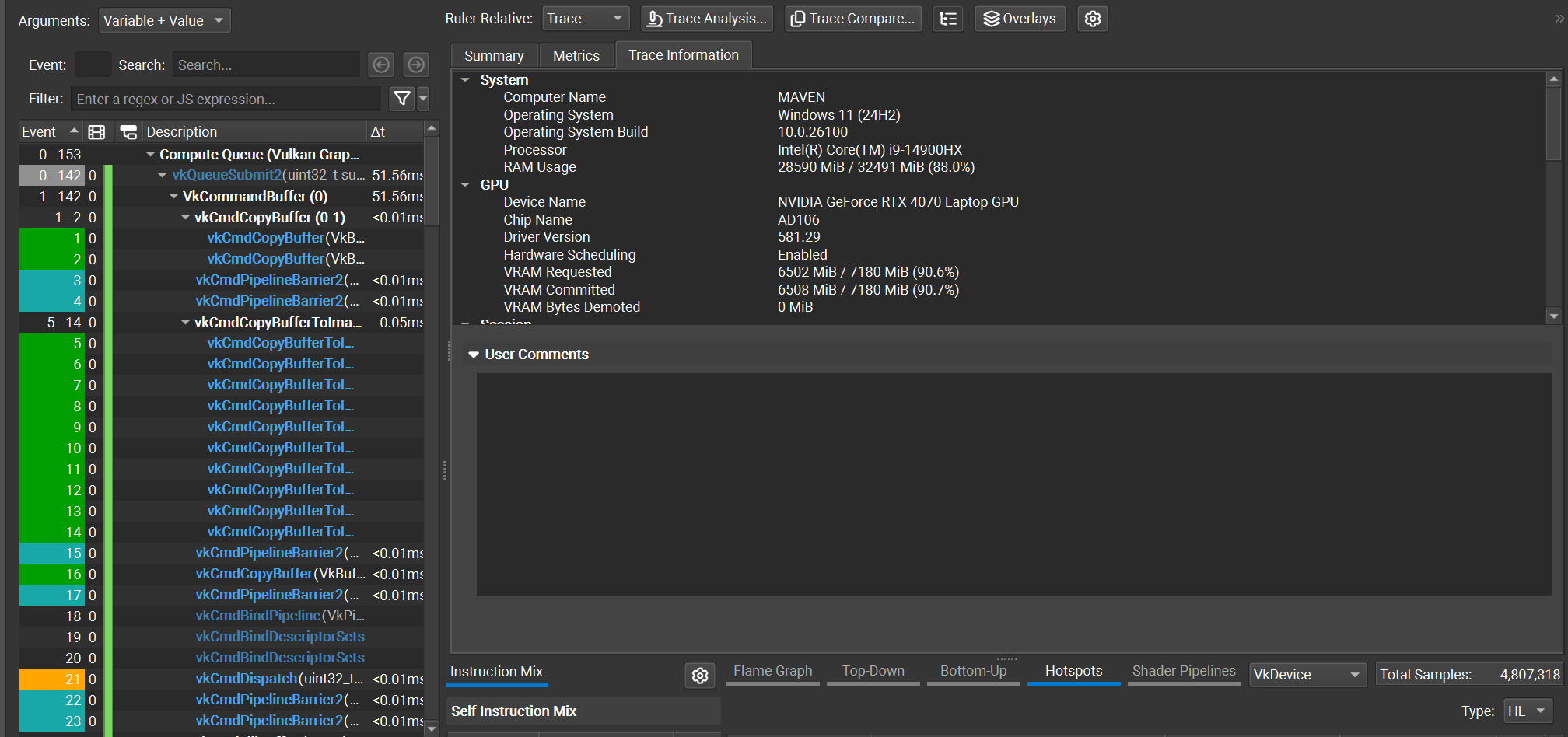 Figure 2. Nsight trace info
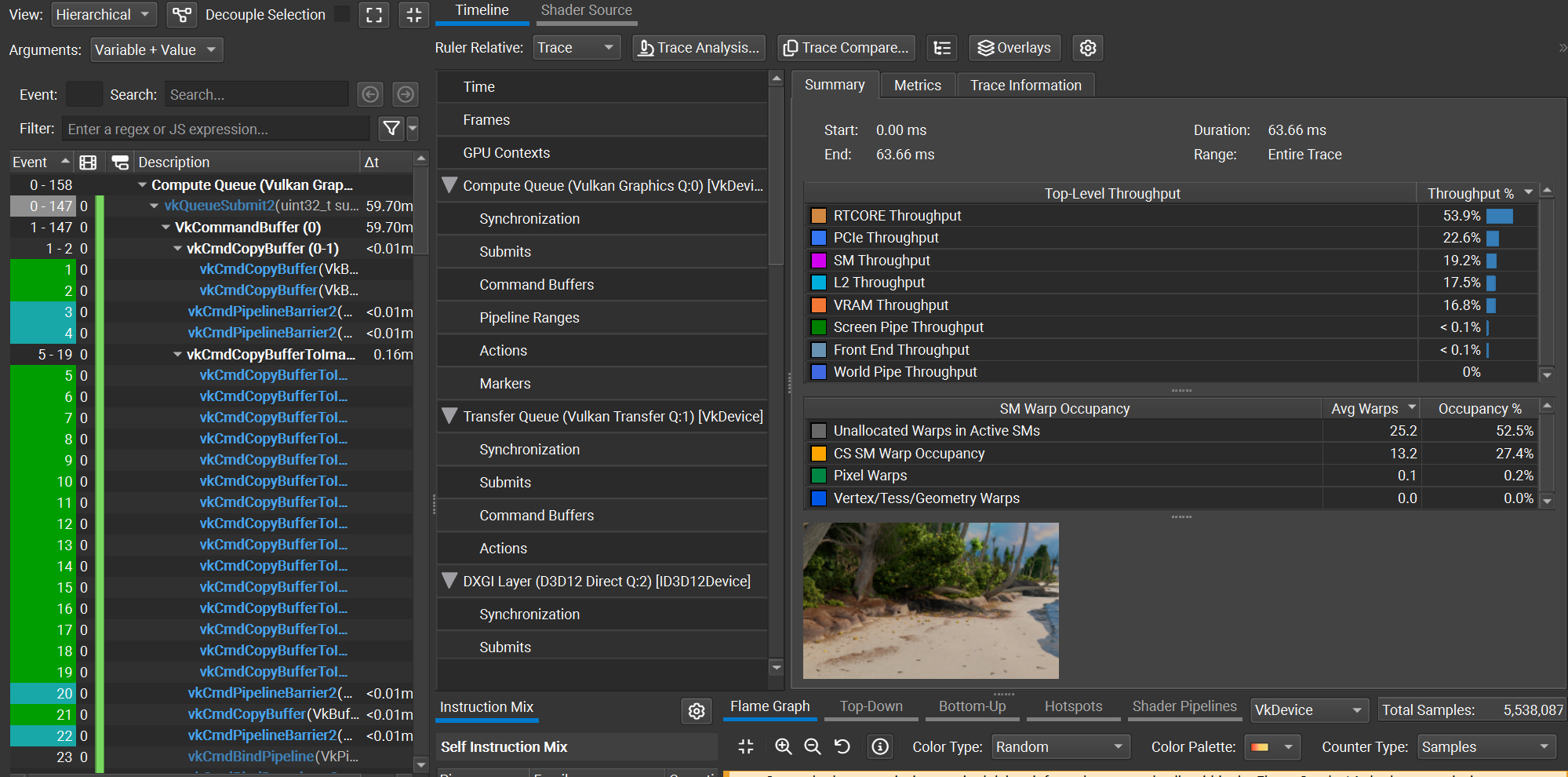 Figure 3. Nsight capture for shotCam, using O(N) decoding
Using the shotCam camera, the total frame time is 51.56 ms using the O(1) decoding method, and 59.70 ms using the O(N) decoding method. The O(1) decoding algorithm saves about 8 ms per frame, which is a ~1.16x speedup. All images are rendered using a basic megakernel unidirectional path tracer with 3 bounces and next event estimation, at a resolution of 2560x1440.
In the next few posts I’ll discuss how I used the RTX Mega Geometry extensions to reduce BVH memory costs, as well as how textures are streamed in my renderer.
Links
Barczak et. al. 2024, “DGF: A Dense, Hardware-Friendly Geometry Format for Lossily Compressing Meshlets with Arbitrary Topologies” https://gpuopen.com/download/DGF.pdf
Disney 2018, “Moana Island data set” https://www.disneyanimation.com/data-sets/
Meyer et. al. 2025 “Parallel Dense-Geometry-Format Topology Decompression” https://doi.org/10.2312/egs.20251050